Turning a 2012 Kindle into an AI quota dashboard
My 2012 Kindle Paperwhite shows how much Claude, Codex, Z.AI and Grok quota I have left. A Rust program on my PC redraws it over USB every ten minutes.
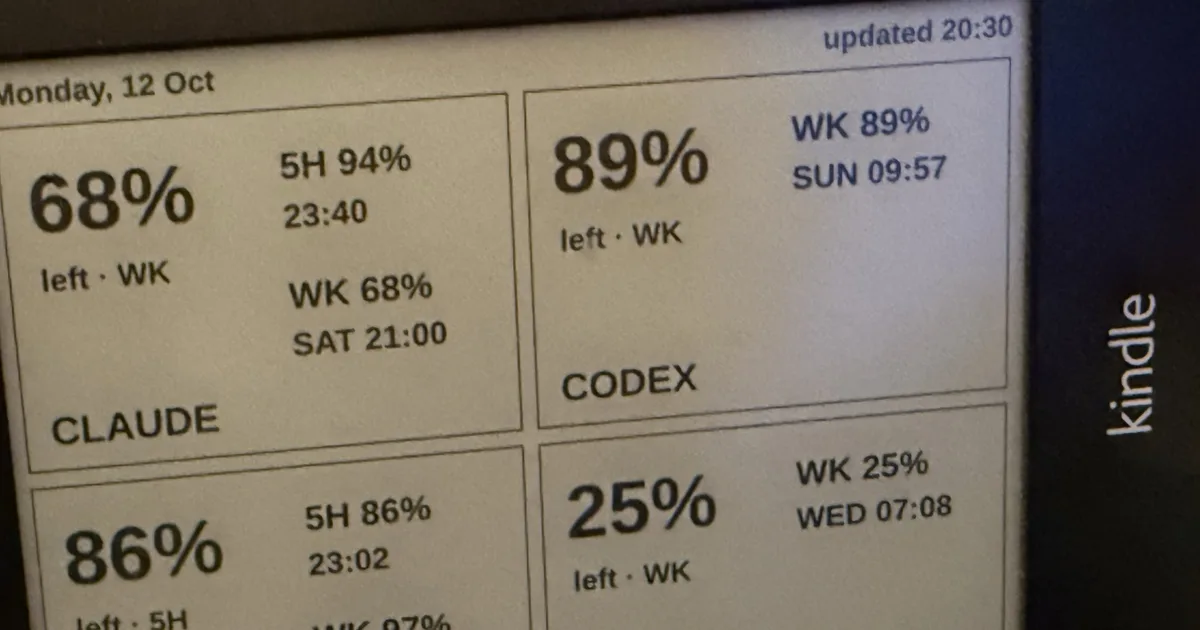
I decided to get more of my old hardware back. I had a Kindle Paperwhite from 2012, and now it stands on my desk and shows how much of my Claude, Codex, Z.AI and Grok subscription quota is left, and when each limit resets. A USB cable to my PC gives it power and a network link, and a Rust program on the PC draws a new screen every ten minutes.
Getting root on a Paperwhite 1
I first asked Claude Opus, and it panicked, so I asked GLM. GLM did all the hacking in this section, and it used the webcam on my desk to iterate.
The Kindle runs firmware 5.6.1.1. The old battery could not hold its voltage while I copied the jailbreak files, and the Kindle browned out and corrupted its FAT filesystem. Running fsck.fat from a Docker container repaired it. I then jailbroke it with WinterBreak2, which goes through the experimental browser, and installed the jailbreak hotfix so an update would not undo it.
This firmware blocks unsigned "active content", so the standard KUAL launcher refused to open, and the old ;sh trick in the search bar no longer runs scripts. The search-bar command ;log mrpi, which opens the MobileRead package installer, still worked. I used it to install USBNetwork, turned that on with ;un, and the Kindle came up as a network device over USB with SSH as root.
Drawing on the screen took more attempts. The screensaver hack did not work on this firmware, and the FBInk build for this Kindle has image support compiled out, so it can only draw text. Amazon's own eips works, after the Amazon UI is stopped so it does not paint over the image:
stop lab126_gui
/usr/sbin/eips -c
/usr/sbin/eips -f -g /mnt/us/dashboard.png
With the UI stopped, the Kindle is no longer an e-reader. To use it as one again, hold the power button for 40 seconds to reboot it. E-ink keeps the last image without power, so the dashboard stays on screen.
Where the numbers come from
Headroom is an Android app by Sebastiano Poggi, Chris Sinco and Marco Gomiero that shows how much of your AI subscription limits you have left. It has no export and no API another program could read, so my program calls the same usage endpoints Headroom reads, one request per provider (Grok sometimes needs two). For the login it reuses what the providers' own command-line tools already store on my PC: Claude Code, the Codex CLI, the Grok CLI, and opencode for the Z.AI key. These endpoints are undocumented and can change. When one changes shape, only that tile shows "bad data".
The program only reads those credential files. Claude, Codex and Grok rotate their refresh tokens, and each refresh token works once, so if my program refreshed a token, the CLI that owns it would lose its login. When an access token expires, the tile says "sign-in expired", and the next time I use that CLI it refreshes its own token.
The live responses also showed that Codex currently sends a single weekly window. The five-hour window comes back as null.
What the webcam showed
Claude, in Claude Code, polished the dashboard UI, and it used the same webcam, one ffmpeg frame at a time. The first image it pushed looked right as a PNG file. On the Kindle, only the left half was on screen, stretched to twice the width. The program saved an RGB PNG, and eips needs 8-bit grayscale. The same file converted to grayscale displayed correctly, and the render code now returns a grayscale image, so an RGB one cannot reach the Kindle again.
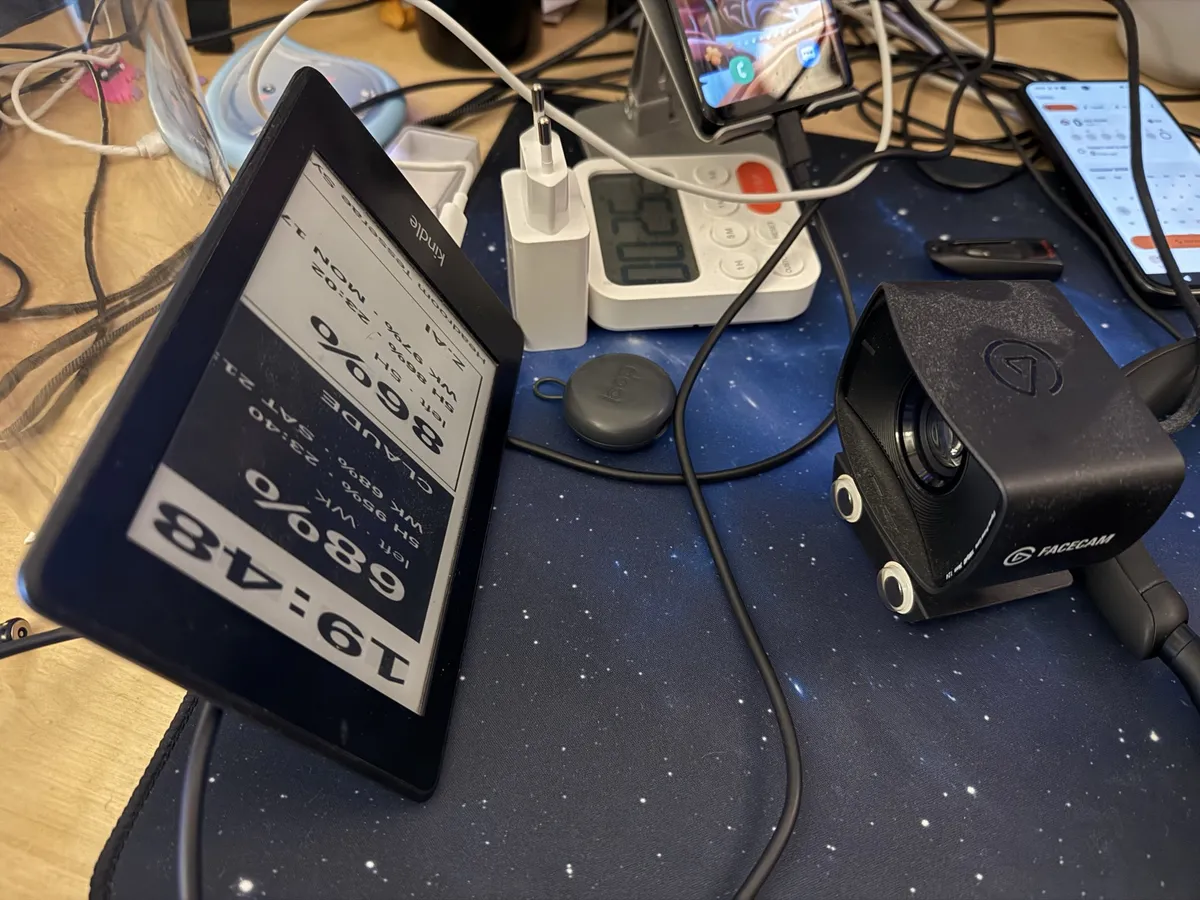
The webcam is out of focus at that distance. The big numbers were readable in its frames and the small lines were not, so I judged the small text by eye.
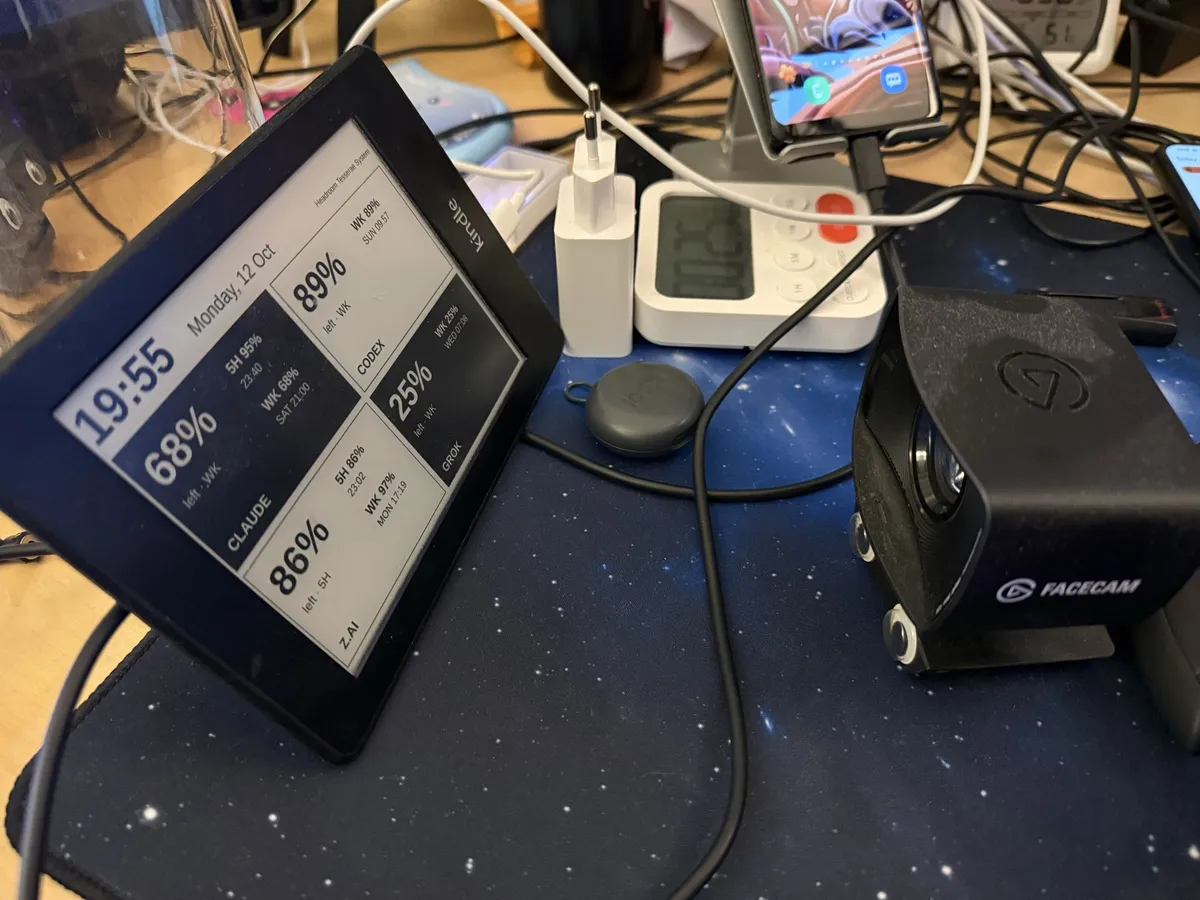
The first version used a light font, a large clock and black tiles in a checkerboard. On the 2012 screen the light font washed out, and small white text on the black tiles nearly disappeared. All text is bold now, and every tile is white with a black border. A tile turns black only when its tightest window has less than 20% left, so a black tile means that quota is low.
One binary on a timer
The PC side is one Rust binary. It fetches the four quotas, renders a 1024x758 landscape image, turns it 90 degrees into the Kindle's 758x1024 portrait framebuffer, and sends it over SSH. My first upload used SFTP through libssh2, which failed against the Kindle's SFTP server, so the program now runs one SSH command that saves the PNG with cat and then calls eips.
A systemd user timer runs the binary every ten minutes. The first run of each hour clears the screen twice to remove ghosting, which flashes it black, and the other runs redraw without a flash. The dashboard has no clock, because a clock that changes every ten minutes is wrong most of the time. The header shows the date and "updated 20:30" instead, so when the PC is off and the Kindle keeps the last image, I can see how old it is.
I posted the first photos on X the same evening.
Let's get our hardware back! We can fix everything! Omnia Reficere Possumus