How to Build, Theme, and Audit Material Design 3 UIs with AI Agents
A practical guide to material-3-skill — components, theme generation, the 10-category MD3 audit, and the real Compose bugs it catches in production code.
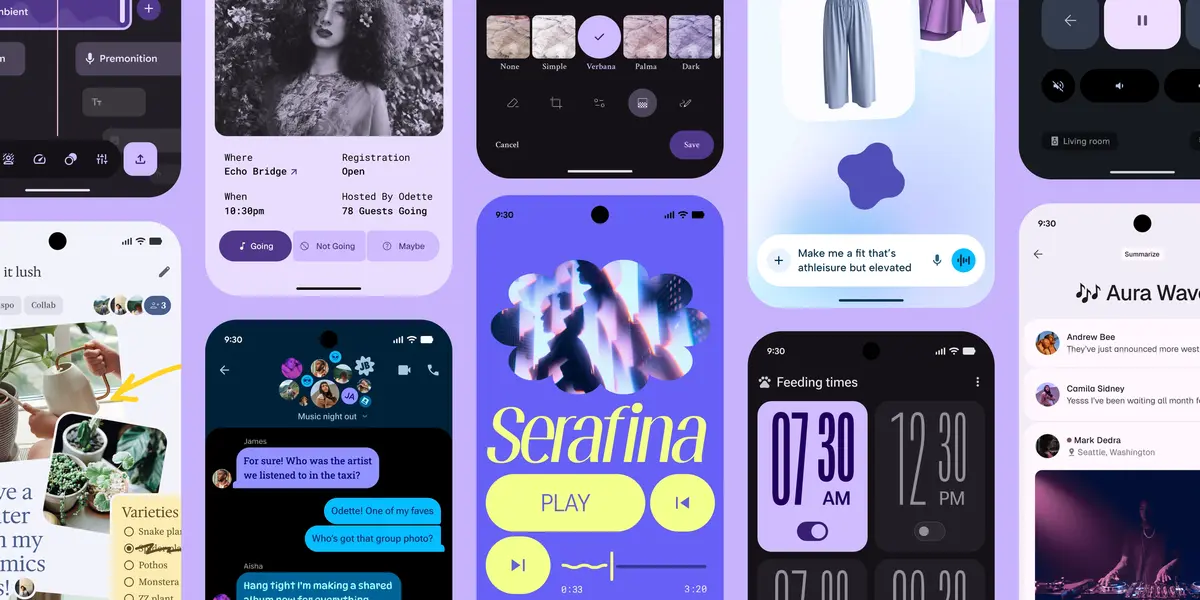
Material Design 3 is a moving target. Google updates the spec, the Compose APIs ship faster than the official docs catch up, and AI assistants generate code that's mostly MD3-compliant but quietly mixes in Material 2 artifacts you only notice in production.
I built material-3-skill to close this gap. It's an agent skill — MIT-licensed, one command to install — that works with Claude Code, Cursor, Codex, and any other agent that loads the Anthropic skill format. It generates MD3-compliant components, themes, and app shells, and audits existing code against the spec.
This post is the practical reference. Save it, return to it when you need a specific command, copy the snippets directly.
Quick install
claude plugin install github:hamen/material-3-skillThat's it. Restart Claude Code and the /material-3 commands are available.
For Cursor, Codex, or any other agent that loads SKILL.md files:
git clone https://github.com/hamen/material-3-skill.git
ln -s "$(pwd)/material-3-skill/skills/material-3" ~/.codex/skills/material-3
# (Or wherever your assistant reads skills from.)
The skill works with any AI agent that follows the Anthropic skill format. Most of the examples below assume Claude Code, but Cursor and Codex work the same way.
Use case 1: Generate an MD3 component
/material-3 component Create a login form with email and password fieldsOutput: a Jetpack Compose function using OutlinedTextField with the correct colorScheme.primary for the indicator color, MaterialTheme.shapes.small for the corner radius, accessibility content descriptions on every field, and the keyboardOptions set to KeyboardType.Email / KeyboardType.Password respectively.
What you don't get: hardcoded hex values, Material 2 corner radii, missing accessibility roles, or BasicTextField with hand-rolled styling.
The skill covers 30+ components: buttons, cards, dialogs, navigation bars, app bars, FABs, chips, badges, snackbars, switches, sliders, progress indicators, date pickers, time pickers, segmented buttons, search bars — the full M3 catalog. Each one is documented with its element name, attribute syntax, and a working code example for Compose (primary), Flutter (secondary), and @material/web (limited; the web library is in maintenance mode).
Use case 2: Generate a theme from a seed color
/material-3 theme Generate a theme from seed color #1A73E8Output: a complete ColorScheme for both light and dark mode, generated using the M3 dynamic color algorithm. The output includes:
- 29+ color roles (primary, on-primary, primary-container, on-primary-container, secondary, tertiary, error, surface, surface-variant, outline, etc.)
- The complete tonal palette (5, 10, 20, 30, 40, 50, 60, 70, 80, 90, 95, 99 tones)
- A Kotlin file ready to drop into your theme package
- Notes on dark mode handling and runtime theme switching
If you need a different format — Flutter ColorScheme.fromSeed, CSS custom properties, JSON for design tools — ask for it explicitly:
/material-3 theme Generate a Flutter ColorScheme from seed color #1A73E8 and output to lib/theme/colors.dartUse case 3: Scaffold a responsive app shell
/material-3 scaffold Create a responsive app shell with navigationThe skill knows the three canonical M3 layouts (compact, medium, expanded) and the five breakpoints (≤600dp, 600-840dp, 840-1200dp, 1200-1600dp, ≥1600dp). It generates a Scaffold with:
NavigationBarfor compact,NavigationRailfor medium,NavigationDrawerfor expanded- Automatic transitions between these when the window size changes
- Correct content padding for each breakpoint
- A working
BackHandlerfor the nav state
This is the part of MD3 that almost no AI agent gets right on the first try without a skill. The breakpoint logic and nav transitions are spelled out in the spec but rarely reproduced in training data.
Use case 4: Audit an existing Compose codebase
/material-3 auditOr against a specific path or URL:
/material-3 audit src/main/java/com/yourcompany/yourapp/ui/
/material-3 audit https://your-deployed-app.com
Output: a Markdown report scored 0-100 across ten categories, with specific deductions tied to file and line, and a citation to the MD3 spec rule each one violates.
The 10-category audit, explained
| Category | What it scores | Example deduction |
|---|---|---|
| Color | MD3 color roles used correctly, no hardcoded hex outside the theme | Color(0xFF1976D2) on line 47 should be colorScheme.primary |
| Typography | The 30-style M3 type scale, no off-scale font sizes | fontSize = 13.sp is not on the type scale; use typography.bodyMedium |
| Shape | Corner tokens aligned with MD3, no arbitrary radii | RoundedCornerShape(7.dp) is not a shape token; use MaterialTheme.shapes.small |
| Elevation | Five elevation levels, no Modifier.shadow() with magic numbers | Modifier.shadow(3.dp) should be Modifier.shadow(elevation = 3.dp) mapped to the elevation token |
| Components | Using the right M3 component, not a hand-rolled lookalike | A Box with custom styling that should be a Card |
| Layout | Correct breakpoint behavior, spacing on the 8dp grid | Spacer(modifier = Modifier.height(15.dp)) is not 8dp-aligned |
| Navigation | The correct nav pattern for the form factor | NavigationBar used on an expanded window where NavigationDrawer is expected |
| Motion | M3 motion tokens, including Expressive spring motion where supported | Linear easing where M3 specifies emphasized easing |
| Accessibility | Content descriptions, minimum touch targets (48dp), contrast ratios | Icon button without contentDescription |
| Theming | Single source of truth for the theme, no scattered overrides | CompositionLocalProvider(LocalContentColor provides Color.Red) outside the theme |
Each deduction includes a link to the specific MD3 documentation page that defines the rule. The audit doesn't say "this looks bad" — it says exactly which rule was violated and how to fix it.
Real bugs the audit caught in my own app
I dogfooded the skill against Kindle Gratis, my Compose app with 1.4 million downloads, before tagging the first public release. These are the four most useful findings. Save these — you will hit each of them in your own code.
Bug 1: Random.nextInt() inside a Composable
// ❌ Wrong
@Composable
fun BookCard(book: Book) {
    val placeholderId = Random.nextInt(1, 5)  // recomposes every time
    AsyncImage(
        model = "https://example.com/placeholder-$placeholderId.png",
        contentDescription = book.title
    )
}
Every recomposition picks a fresh random number. Every fresh number triggers a new image request. The image never caches because the URL keeps changing. I was silently re-downloading placeholder images on every scroll for years.
// ✅ Right
@Composable
fun BookCard(book: Book) {
    val placeholderId = remember(book.id) { Random.nextInt(1, 5) }
    AsyncImage(
        model = "https://example.com/placeholder-$placeholderId.png",
        contentDescription = book.title
    )
}
remember with a key ties the random number to the book ID, so it stays stable across recompositions.
Bug 2: Color.Black text on a blended background
// ❌ Wrong
Text(
    text = "Welcome back",
    color = Color.Black,
    modifier = Modifier
        .background(
            color = colorScheme.primary.copy(alpha = 0.6f)
                .compositeOver(colorScheme.surface)
        )
)
In light mode the contrast is fine. In dark mode the background becomes dark, the text stays black, the text disappears. Light-mode-only screenshot tests don't catch this.
// ✅ Right
Text(
    text = "Welcome back",
    color = colorScheme.onPrimary,
    modifier = Modifier.background(colorScheme.primary)
)
Use the on* color role that pairs with whatever you're putting text on. MD3 guarantees the contrast ratio for these pairs in both light and dark modes.
Bug 3: DisposableEffect for lifecycle observation
// ❌ Wrong (correct in 2023, outdated in 2026)
DisposableEffect(lifecycleOwner) {
    val observer = LifecycleEventObserver { _, event ->
        if (event == Lifecycle.Event.ON_START) {
            viewModel.refresh()
        }
    }
    lifecycleOwner.lifecycle.addObserver(observer)
    onDispose {
        lifecycleOwner.lifecycle.removeObserver(observer)
    }
}
This works. It's also four times the code it needs to be, since androidx.lifecycle:lifecycle-runtime-compose:2.8+.
// ✅ Right
LifecycleStartEffect(Unit) {
    viewModel.refresh()
    onStopOrDispose { /* cleanup if needed */ }
}
There's also LifecycleResumeEffect, LifecycleEventEffect, and a few others. They handle the observer wiring for you.
Bug 4: modifier parameter missing or misplaced
// ❌ Wrong: no modifier parameter
@Composable
fun PriceTag(price: Float) {
    Text("$$price", style = typography.titleMedium)
}

// ❌ Wrong: modifier not first optional parameter
@Composable
fun PriceTag(price: Float, currency: String, modifier: Modifier = Modifier) {
    Text("$currency$price", modifier = modifier, style = typography.titleMedium)
}
The AndroidX composable component guidelines require every reusable composable to expose a modifier: Modifier = Modifier parameter, and place it as the first optional parameter (immediately after required parameters, before other optional ones).
// ✅ Right
@Composable
fun PriceTag(
    price: Float,
    modifier: Modifier = Modifier,
    currency: String = "$"
) {
    Text(
        text = "$currency$price",
        modifier = modifier,
        style = typography.titleMedium
    )
}
This matters because parent composables expect to be able to pass modifiers down. Skip it and you break composition flexibility.
Platform coverage matrix
| Feature | Compose | Flutter | Web (@material/web) |
|---|---|---|---|
| MD3 component generation | ✅ Primary support | ✅ Secondary | ⚠️ Limited (library in maintenance mode) |
| Theme generation from seed | ✅ | ✅ (ColorScheme.fromSeed) | ✅ (CSS custom properties) |
| Audit | ✅ | ⚠️ Partial | ⚠️ Partial |
| M3 Expressive (May 2025) | ✅ | ⚠️ Partial | ❌ Not on Web |
| I/O 2026 additions (8dp grid, watch, XR) | ✅ | ⚠️ Roadmap | ❌ |
Compose is the primary platform because that's where Material 3 lives most natively. Flutter and Web work but with caveats around feature parity — the skill is honest about what's supported where, rather than pretending everything works the same.
Quick reference
| Command | What it does |
|---|---|
/material-3 component <description> | Generate an MD3 component |
/material-3 theme <seed color or description> | Generate a theme |
/material-3 scaffold <description> | Scaffold a responsive app shell |
/material-3 audit [path or URL] | Run the 10-category compliance audit |
For finer control, you can ask the skill to focus on a single category in the audit:
/material-3 audit src/main/java/ focus=accessibilityOr to generate output in a specific format:
/material-3 component A search bar with filters, output to ui/search/SearchBar.ktWhat's in the latest version
The most recent additions worth knowing about:
- Google I/O 2026 update: 8dp spacing system, watch and XR form factors, expressive lists and menus, the Compose-first Material Android direction
- M3 Expressive coverage: spring motion, emphasized typography, shape morphing (where the platform supports it)
- Sibling skill `compose-agent`: a focused Jetpack Compose audit skill that pairs with this one, install with
/plugin add hamen/compose_skill --subdir jetpack-compose-audit - Strict validator pass: both skills pass the agentskills.io specification validator with zero critical findings
Full release notes live in the GitHub releases tab.
How it was built (briefly)
The skill was built over three months as a joint venture between every frontier model I could get my hands on. Claude Code was the primary author and drove the day-to-day iteration. GPT-5.5 and Gemini 3.1 Pro came in as independent reviewers: every component definition, every audit rule, every code example was cross-validated by at least one other frontier model before it shipped. Where the three disagreed, I dug into the M3 spec until one of them was demonstrably right.
This matters because no single model has the full picture. Training cutoffs differ. Documentation coverage differs. The Compose subset each model "knows well" differs. Using only one is how you ship a skill that confidently asserts an outdated lifecycle API works in 2026. Using three (plus the spec, scraped live) is how you catch it before users do.
Three technical decisions matter for anyone trying to build something similar:
Browser automation for the spec. m3.material.io is a JavaScript-rendered single-page app. curl returns an empty shell. I used Claude Code's Chrome automation tools to navigate the live site, wait for JavaScript to render, and read the actual content. This is how the skill stays current with spec updates that postdate every model's training cutoff.
Cross-model validation as a quality gate. Once a draft was written, the same artifact got submitted to the other frontier models with a "find what's wrong here" prompt. The disagreements were the most valuable signal — they pointed at exactly the places where a single-model build would have shipped a confident hallucination.
Cross-referencing with training data. Live scraping gave me current spec values. The training data — from three different models, each with a different coverage zone — filled in the implementation details: the exact Kotlin call, the @material/web element name, the Flutter useMaterial3 flag. Combining the two produces a skill that's both correct (live-checked) and runnable (implementation-grounded across multiple models' strong suits).
I wrote more about the source-of-truth approach in a separate post on AI coding rules.
Roadmap
Currently working on:
- Deeper Flutter coverage (
useMaterial3: true,ColorScheme.fromSeed, MD3-specific Flutter widgets) - Watch and XR form factor depth (I/O 2026 made these first-class; the current coverage is shallow)
- GitHub Action that runs the audit on every PR and posts the score as a comment
- Audit-only fast path as a separate trimmed skill, for repos that just want a compliance score per commit without the generation surface
If you want any of these prioritized, open an issue or send a PR.
License and contributing
MIT-licensed. Contributions welcome — especially platform-specific code examples and audit rule additions tied to MD3 spec sections. See CONTRIBUTING.md for the platform hierarchy (Compose-first), Expressive rules, and PR checklist.
If you ship Compose code, install it once and run /material-3 audit on your repo. Read the report. Fix the top three findings. Your code will be measurably more MD3-compliant in 15 minutes than it would be in a week of manual review.
Companion skill: compose_skill, a focused Jetpack Compose audit. Both are MIT-licensed. If you build something useful with either, tell me on X — I read every mention.