Get started with Ruby on Rails on WSL2 Ubuntu
Complete guide to installing Ruby on Rails on WSL2 Ubuntu 24.04 using rbenv, including Tailwind CSS setup.

Install Ubuntu
If you already have WSL2 Ubuntu 24.04 skip these two steps.
Open PowerShell as Administrator:
wsl --install -d Ubuntu-24.04Once Ubuntu is installed, make sure it’s running as WSL2:
wsl --set-version Ubuntu-24.04 2Close PowerShell and run Ubuntu-24.04 from the application menu. Once you are in the Ubuntu terminal, update and install things:
sudo apt update
sudo apt upgrade
sudo apt-get install autoconf patch build-essential rustc libssl-dev libyaml-dev libreadline6-dev zlib1g-dev libgmp-dev libncurses5-dev libffi-dev libgdbm6 libgdbm-dev libdb-dev uuid-dev libffi-dev sqlite3
Once the system dependencies are installed, install rbenv:
curl -fsSL https://github.com/rbenv/rbenv-installer/raw/HEAD/bin/rbenv-installer | bashInstall Ruby and Rails
Install Ruby 3.3.3 or any version you like:
rbenv install 3.3.3Make it available globally:
rbenv global 3.3.3Check that ruby is OK:
ruby --versionYou should see something like:
ruby 3.3.3 (2024-06-12 revision f1c7b6f435) [x86_64-linux]Install Rails:
gem install railsCheck that Rails is there:
rails --versionYou should see something like:
Rails 7.1.3.4Create a project and run it in VSCode
Install Visual Studio Code from here https://code.visualstudio.com/
Once you have it installed, go back to Ubuntu and create a new Rails project:
rails new your-project-name --css=tailwindWait for Rails to generate its gazillion files, and then:
cd your-project-name
code .
VSCode should install things and open the Rails project. From the top menu, run a new Terminal and from the terminal run:
bin/devYou should see something like:
$ bin/dev
15:40:30 web.1  | started with pid 17781
15:40:30 css.1  | started with pid 17782
15:40:30 web.1  | => Booting Puma
15:40:30 web.1  | => Rails 7.1.3.4 application starting in development
15:40:30 web.1  | => Run `bin/rails server --help` for more startup options
15:40:31 web.1  | Puma starting in single mode...
15:40:31 web.1  | * Puma version: 6.4.2 (ruby 3.3.3-p89) ("The Eagle of Durango")
15:40:31 web.1  | *  Min threads: 5
15:40:31 web.1  | *  Max threads: 5
15:40:31 web.1  | *  Environment: development
15:40:31 web.1  | *          PID: 17781
15:40:31 web.1  | * Listening on http://127.0.0.1:3000
15:40:31 web.1  | * Listening on http://[::1]:3000
15:40:31 web.1  | Use Ctrl-C to stop
15:40:31 css.1  |
15:40:31 css.1  | Rebuilding...
15:40:32 css.1  |
15:40:32 css.1  | Done in 339ms.
Open your browser at 127.0.0.1:3000, and you should see this:
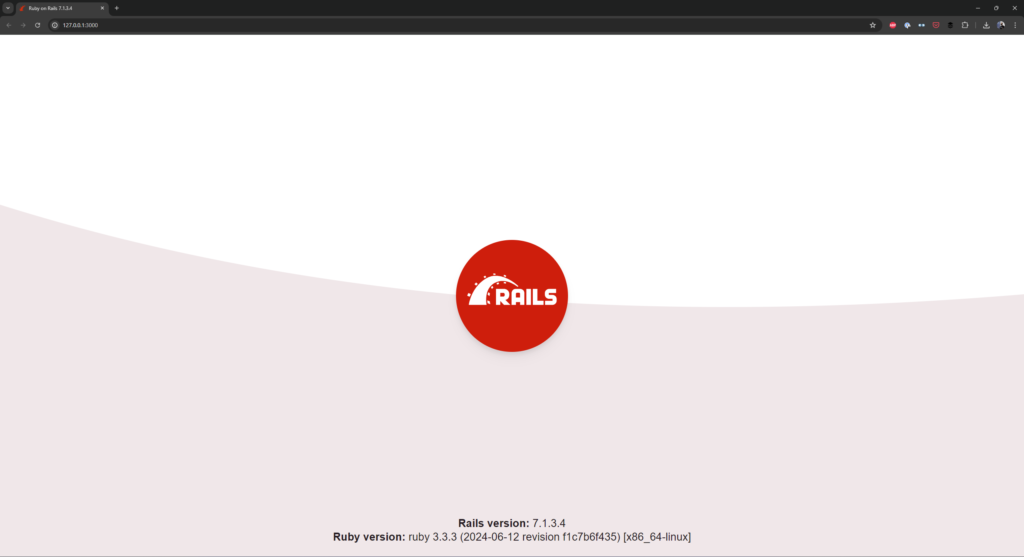
Congratulations 🎊 You passed step 1 in your journey as a web apps developer ✌️
Now go and build some cool stuff!