How I Run My Daily Standup on a Local LLM: Git, Gemma 4, llama.cpp and Telegram
A real-world pipeline that scans my Git repos every morning, formats the day's commits with a local Gemma 4 E4B on llama.cpp, and posts the summary to Telegram — no cloud, no...
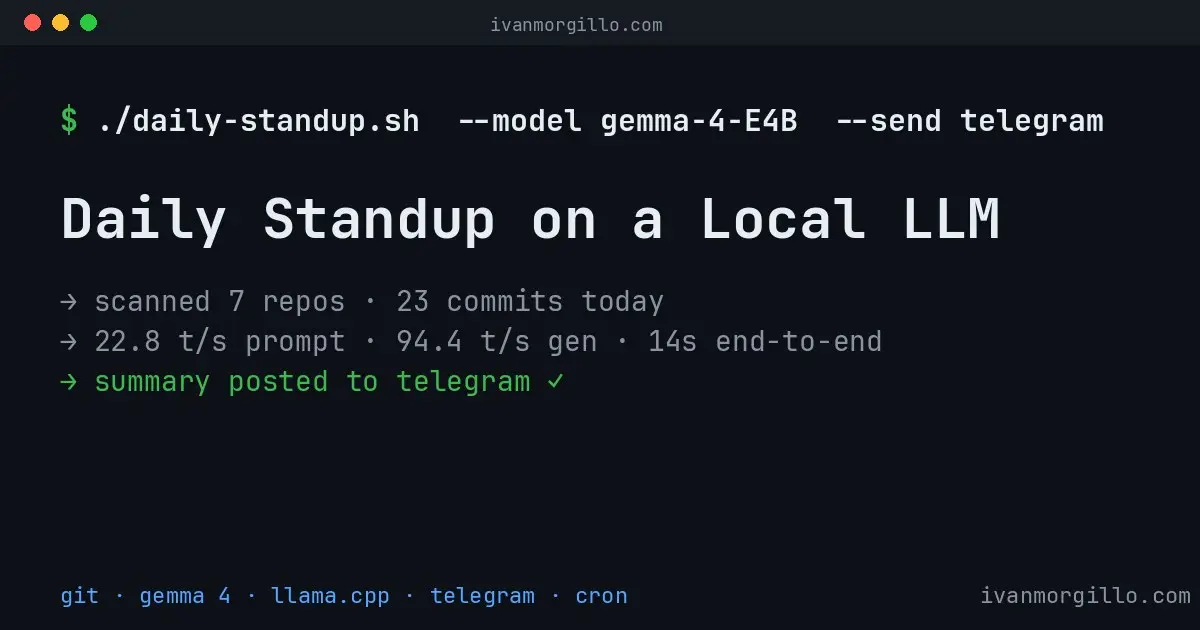
I got a polite warning from Anthropic the other day.
“It appears your recent prompts continue to violate our Acceptable Use Policy. If we continue seeing this pattern, we’ll apply enhanced safety filters to your chats.”
I stared at it for a while. I haven’t been asking Claude anything weird. I write code. I format reports. I talk to it like a coworker. So what “pattern” was Anthropic seeing?
Turns out the answer wasn’t about the prompts.
It was about where they were coming from.
Updated May 27, 2026 — originally written with Gemma 3 4B. Migrated to Gemma 4 E4B the day after publishing, when readers (correctly) pointed out that Gemma 4 had been out since April 2, 2026. Commands, model paths, and benchmarks below now reflect the Gemma 4 setup. The pipeline is unchanged — only the GGUF file, a slightly larger VRAM footprint (~5.5 GB instead of ~2.5 GB), and Gemma 4’s native thinking step pushing end-to-end time from ~3.5 s to ~14 s.
The setup that bit me
I have a small army of automations talking to Claude.
Four Telegram bots — one for general stuff, one for ops, one for social, one main. I message them, they message Claude, Claude replies, they message me back. Voice notes get transcribed and forwarded too. It’s my “Claude on my phone” stack.
On top of that, I have a couple of cron jobs that hit Claude every morning. One pulls AdMob and GA4 numbers and writes me a daily revenue report. Another scans my Git projects and posts a developer standup to Telegram at 9:30am. Small, useful, boring.
All of this is supposed to go through the Anthropic API.
That’s what the .env files said, anyway.
The bug I didn’t know I had
Each bot’s .env had a line like this:
ANTHROPIC_API_KEY=Empty. Not missing — empty. A leftover from a setup I never finished.
And the Claude Agent SDK has this little bit of logic:
if config.anthropic_api_key_str:
    os.environ["ANTHROPIC_API_KEY"] = config.anthropic_api_key_str
    logger.info("Using provided API key for Claude SDK authentication")
else:
    logger.info("No API key provided, using existing Claude CLI authentication")
If the key is empty, it falls back to “existing Claude CLI authentication” — which on my machine means the OAuth credentials in ~/.claude/.credentials.json.
OAuth credentials for my Claude Max subscription.
So for months, every voice note I’d ever sent to my Telegram bots, every “format these commits” prompt from cron, every random tweet I’d asked it to summarize — all of it was going through my personal subscription instead of an API key.
Four bots and two cron jobs, all hitting my consumer plan as if it were a backend. That’s the “pattern” the abuse classifier was picking up. Not malicious content. Just automation on a non-API channel, which is exactly what Anthropic’s terms tell you not to do.
It’s a footgun. Not a bug, technically. The SDK behavior is documented if you squint hard enough. But it’s the kind of thing that fails open and you don’t notice until someone sends you a polite email.
The first thing I cut
The cron jobs were the easiest fix. They run unattended, on a schedule, with predictable input. Perfect candidates to get off Claude entirely.
I started with the daily standup. It’s a tiny pipeline. It reads commits. It formats them. It sends them to Telegram. There’s no reason Claude needs to be in the loop for that.
I grabbed Gemma 4 E4B — Google’s latest open model in the on-device tier, released April 2026. Let’s use it.
What follows is the whole thing — every step, every config — because I want to be able to come back to this post in six months and rebuild it from scratch.
The pipeline, end to end
git repos → standup.rb → daily-standup.sh → llama.cpp + Gemma 4 → TelegramFour moving parts. Two of them I wrote, two of them are off the shelf. Total runtime: about 14 seconds (including Gemma 4’s native thinking step). Total cost per run: zero. Total bytes leaving my machine: just the final Telegram message.
Step 1 — Pulling yesterday’s commits with a Ruby script
I keep all my projects under ~/code. Each one is a Git repo. The first piece of the pipeline is a small Ruby script that walks that directory, picks out the repos I actually care about, and dumps yesterday’s commits grouped by project.
The config is a YAML file. It does two jobs:
- Tell the script where to find the projects.
- Map each repo’s directory name to a hashtag I want in the report.
projects_root: /home/ivan/code

repo_name_mapping:
  app-tools: "#apptools"
  bedtimestories: "#bedtimestories"
  blackjack_trainer: "#blackjacktrainer"
  gift-it-reboot-1: "#giftit"
  kindle-gratis-compose: "#kindlegratis"
  mygoo_be_rails: "#mygoo"
  three-things-a-day: "#3thingsaday"
  # ...and a few more
The mapping doubles as an allowlist: only the repos listed here show up in the standup. That way I don’t get spammed by every fork and side-experiment I haven’t deleted yet.
The script itself is plain Ruby. The interesting part is how it grabs commits — just git log constrained to a date and the current user:
def get_commits(repo_path, target_date)
  Dir.chdir(repo_path) do
    author = `git config user.name`.strip
    date_str = target_date.to_s
    cmd = "git log " \
          "--since=\"#{date_str} 00:00:00\" " \
          "--until=\"#{date_str} 23:59:59\" " \
          "--author=\"#{author}\" " \
          "--pretty=format:\"%s\" 2>/dev/null"
    `#{cmd}`.split("\n").reject(&:empty?)
  end
end
That’s it. No GitHub API, no fancy tooling. Just shelling out to git in each repo directory.
The script also reads an optional llm-context.md file in each repo, which is where I sometimes leave notes that are too long for a commit message but too important to forget. If that file was touched today, the standup mentions it. Useful when I’ve spent half a day in design instead of in commits.
The output is dumb on purpose:
#apptools
• Release AppTools 0.5.5
• feat(mcp): allow Remote Config project override

#kindlegratis
• Bump Android versionCode to 2126 after Internal release publish.
• Fix Amazon link and billing crashes from Crashlytics triage.
• docs: update heartbeat action plan
• Fix banner crash from duplicate AdView ad unit assignment.

#mygoo
• Fix concurrent profile signal rebuilds and Italian validation errors.
Raw commits. Ugly. Bumps, fixes, docs. Useful as a record. Useless as a thing to read at 9:30am over coffee.
This is where the LLM earns its keep.
Step 2 — Why I’m not doing this with grep
It’s tempting. Honestly. A few regexes, a bit of sed, you could “summarize” by just stripping chore: and bump version and printing the rest.
But I tried. The output is bad. Five Bump versionCode in a row looks ridiculous. chore(seo): move blackjack site to trainblackjack.app and Update CNAME are two commits describing the same thing. A naive script can’t see that. An LLM can.
What I want is a tiny model that can read 30 commit lines, notice “these four are about the same bump”, merge them into one sentence, drop the noise, and hand me back something I’d actually want to read.
That’s a textbook job for a small instruction-tuned model.
Gemma 4 E4B does this in about 12 seconds on my RTX 4070 (the thinking step adds a beat compared to Gemma 3, but it’s the same machine, same VRAM), with absurd headroom for the rest of the GPU.
Step 3 — Running Gemma 4 with llama.cpp
I already had llama.cpp installed via Homebrew on Linux. Two binaries matter:
llama-cli— for one-off prompts.llama-server— for a persistent OpenAI-compatible HTTP server.
For a cron that runs once a day, llama-cli is the right pick. No daemon, no port, no resident memory. The model loads, generates, and unloads.
The model itself is google/gemma-4-E4B-it in Q4_K_M quantization, about 5.4 GB. I grabbed the bartowski/google_gemma-4-E4B-it-GGUF build from Hugging Face:
hf download bartowski/google_gemma-4-E4B-it-GGUF \
  google_gemma-4-E4B-it-Q4_K_M.gguf \
  --local-dir ~/llm-models
Quick disk note: my /home is 98% full (too many years of accumulated junk), so I can’t actually put a 2.4 GB GGUF inside it. What I did instead was create the directory on a roomier partition and symlink it from home:
mkdir -p /mnt/data-partition/llm-models
ln -s /mnt/data-partition/llm-models ~/llm-models
From the pipeline’s point of view, ~/llm-models/google_gemma-4-E4B-it-Q4_K_M.gguf is just a path. The disk layout is invisible to the rest of the script.
Invocation is short:
llama-cli \
  -m /home/ivan/llm-models/google_gemma-4-E4B-it-Q4_K_M.gguf \
  -ngl 99 \
  --jinja \
  -st \
  -f /tmp/standup-prompt.txt \
  -n 800 \
  --temp 0.3
What each flag does:
-ngl 99— offload all layers to the GPU. With 12 GB of VRAM the model fits with about 6.5 GB of VRAM still free.--jinja— apply the model’s chat template automatically. Gemma 4 uses the Gemma family chat template — a specific<start_of_turn>user…<end_of_turn>format and you really don’t want to write that out by hand.-st— single-turn. Exit after the first response. Critical for cron — without this,llama-clidrops you into a REPL and waits for input forever.-f— read the prompt from a file. Cleaner than-pwith a giant string, especially when the prompt contains newlines and shell metacharacters.-n 800— generation cap. The standup is short, 800 tokens is way more than enough.--temp 0.3— keep it deterministic-ish. This is a formatting task, not a creative one.
Step 4 — The prompt that does the work
The whole “intelligence” of the pipeline lives in this prompt:
You are formatting a daily developer standup for Telegram.

Date: 2026-05-26 (this is yesterday's activity)

Here is the raw standup output (each section is a project hashtag, bullets are commits):

#apptools
• Release AppTools 0.5.5
• feat(mcp): allow Remote Config project override

#kindlegratis
• Bump Android versionCode to 2126 after Internal release publish.
• Bump Android versionCode to 2125 and fix Internal CI versioning.
• Fix Amazon link and billing crashes from Crashlytics triage.
• Fix banner crash from duplicate AdView ad unit assignment.
...

Format this as a concise, scannable Telegram message:
- Start with: 📋 *Daily Standup — 2026-05-26*
- Group by project hashtag (bold the hashtag)
- Summarize related commits into one bullet where possible
- Use plain language, not commit-speak
- Add a brief one-line summary at the end with total project count
- Keep it short — this is a standup, not a changelog
- Use Telegram Markdown: SINGLE asterisk for bold (*bold*), NOT double (**bold**). Use _italic_ for italic.
- Output ONLY the formatted message, nothing else
A few things I learned writing this:
Be explicit about the output format. “Use Telegram Markdown” was not enough. Gemma kept producing **bold** (standard Markdown) instead of *bold* (Telegram’s flavor). I had to spell out single asterisk, not double. Even then it slips sometimes — I patch the leftovers with sed downstream.
Tell it to output ONLY the message. Without that line, small models love to add a preamble: “Here’s the formatted standup for you!” No thanks.
Give it the date in the message format you want. If you don’t, it’ll guess. Sometimes wrong.
Step 5 — Cleaning llama.cpp’s output
llama-cli is fundamentally an interactive tool that’s been bent into a one-shot. It prints a banner, a model spec, a load spinner, then your prompt echoed back, then the model’s response, then a generation-stats line.
That’s a lot of noise around the part you actually want.
I extract the response with awk: find the line that starts the model’s reply (it always begins with 📋, per the prompt), strip anything before it, and capture lines until the stats footer:
ANALYSIS=$(echo "$RAW_OUT" | awk '
  /📋/ && !found { found=1; sub(/.*📋/, "📋") }
  found && /^\[ Prompt:/ { exit }
  found { print }
')
Then I fix the two known issues with two sed passes:
PROJECT_COUNT=$(echo "$RAW_STANDUP" | grep -c '^#')

ANALYSIS=$(echo "$ANALYSIS" \
  | sed 's/\*\*/\*/g' \
  | sed "s/Total projects: [0-9]*/Total projects: $PROJECT_COUNT/")
The first sed converts any **bold** the model produced into *bold*. The second one fixes the model’s tendency to miscount projects — small models are bad at counting, and instead of asking it to count better, I just substitute the right number from the raw input.
This is the kind of post-processing that production LLM pipelines need. The model does the hard part; small deterministic scripts handle the parts it’s bad at.
Step 6 — Posting to Telegram
This part is boring. Telegram’s Bot API takes a chat_id and text, returns immediately, and that’s the end of it.
send_telegram() {
  local message="$1"
  curl -s -X POST "https://api.telegram.org/bot${TELEGRAM_BOT_TOKEN}/sendMessage" \
    --data-urlencode "chat_id=${TELEGRAM_CHAT_ID}" \
    --data-urlencode "text=${message}" \
    --data-urlencode "parse_mode=Markdown" > /dev/null
}
--data-urlencode is non-negotiable. The message contains asterisks, emoji, line breaks, hashtags. If you --data "text=$message" you’ll get half a message and an error from Telegram.
Credentials live in ~/.config/app-tools/telegram.env, sourced at the top of the script. That file has 0600 perms, holds two variables (TELEGRAM_BOT_TOKEN, TELEGRAM_CHAT_ID), and is shared across a few other small Telegram-output scripts.
The bot token comes from BotFather. The chat ID is just my own Telegram user ID — the bot DMs me, no group involved.
Step 7 — Cron
The whole pipeline is glued together by one cron line:
30 7 * * * /home/ivan/app-tools/daily-standup.sh >> /tmp/daily-standup.log 2>&17:30 UTC, which is 9:30 Rome time — late enough that I’m at my desk, early enough that “yesterday” is still meaningful.
The script sources my shell profile at the top, because cron runs with a minimal environment and I want llama-cli to be on PATH:
if [ -f "$HOME/.zshrc" ]; then
  export SHELL=/bin/zsh
  set +eu
  source "$HOME/.zshenv" 2>/dev/null || true
  source "$HOME/.zprofile" 2>/dev/null || true
  source "$HOME/.zshrc" 2>/dev/null || true
  set -eu
fi
Three layers of belt-and-suspenders for what should be a one-liner, but every time I’ve skipped them something has broken at 9:30am.
What the result looks like
Pasted from yesterday’s actual message:
📋 *Daily Standup — 2026-05-26*

*#apptools*
• Released AppTools 0.5.5 with remote config project override.

*#bedtimestories*
• Tracked app download clicks.

*#blackjacktrainer*
• Moved the Blackjack site to trainblackjack.app and updated the CNAME.

*#giftit*
• Added website analytics tracking.

*#kindlegratis*
• Resolved crashes related to Amazon links and billing through Crashlytics.
  Updated build documentation and reduced noisy heartbeat alerts.
  Android version codes were bumped for internal releases and fixes.

*#mygoo*
• Fixed issues with profile rebuilding and Italian validation errors.

*#3thingsaday*
• Recorded production release status and added AppTools configuration.

_Total projects: 7_
Seven projects, one bullet each, the chaff is gone. The four versionCode bumps in #kindlegratis got merged into a single sentence — exactly what I wanted and exactly what regex-based “summarization” can’t do.
Generation timing on my machine:
Prompt: 4010 t/s Generation: 114 t/sThat’s about 3.5 seconds end-to-end. Faster than the old Claude version, by a lot — the API call had network latency, retries, and the occasional slow response. Local is just local.
What I gave up vs what I got back
I didn’t switch everything away from Claude. The bots themselves still use it — voice notes hit a model that can pull from MCP, write code, use tools. For that, Gemma 4 E4B is not enough.
But for the cron jobs? I gave up:
- About 0.05 cents of API spend per day. (Maybe.)
- Slightly more polished prose. Gemma is good but Claude is better at “human” tone.
And I got back:
- Zero AUP exposure on the bot side. The cron prompts never leave my machine.
- Determinism. Same input, basically same output.
- Faster runs. 3.5s vs ~10-15s round-trip.
- A pipeline I fully understand. Every byte of it lives on disk somewhere I can read.
- No more “is my Max subscription going to get throttled today” anxiety.
The lesson for me — and the reason I’m writing this down — is that not every “format this for me” task needs a frontier model. We default to Claude or GPT for everything, partly because they’re easy, partly because they’re impressively good. But for narrow, repeatable tasks with structured input, a 4B local model is often plenty.
And once you’ve got llama.cpp running for one cron job, you’ve got it for all the others. The marginal cost of the next pipeline that doesn’t need to phone home drops to almost nothing.
Where I’m taking this next
Two more candidates lined up:
The AdMob/GA4 daily revenue report. Same shape: numbers in, formatted Telegram message out. Same swap, probably same Gemma model. I just need to write the prompt and the post-processing.
Tweet drafting from RSS feeds. I’ve been hand-writing these for too long. A 4B local model is fine for “summarize this article into a tweet”. Anything I don’t like I’ll edit by hand — same as I do today.
For anything that needs tool use, codebase context, or genuinely creative writing, Claude stays in the loop. That’s where it earns its keep. But for the long tail of “small LLM tasks that happen on a timer”, local is the right answer.
The pieces, one more time
- standup.rb — Ruby, scans
~/code, dumps yesterday’s commits grouped by project hashtag. (standup repo) - standup.yml — config:
projects_root+repo_name_mappingas an allowlist. - Gemma 4 E4B (Q4_K_M) —
bartowski/google_gemma-4-E4B-it-GGUFon Hugging Face, ~2.4 GB. - llama.cpp —
brew install llama.cppon Linux, gives youllama-cliand friends. - daily-standup.sh — bash glue: standup → llama → Telegram. About 140 lines, half of which is profile-sourcing and credentials loading.
- Telegram Bot API —
curl --data-urlencodetosendMessage. Three lines. - cron — one line. 9:30 every morning.
If you’ve got a daily report or a recurring summary task you’ve been pushing through OpenAI or Anthropic, this is one of the easier wins to grab. The whole swap took me about thirty minutes the first time. The next pipeline will take ten.
And no more polite warnings from anyone’s trust & safety team.
Update — 2026-05-29: the silent-failure bug (and the fix)
Two days after publishing this, the pipeline bit me. One morning the standup just… didn’t show up in Telegram. The log stopped at “Formatting with local Gemma 4 E4B…” and went no further — no error, no message.
The culprit was the very combination I’d been relying on for safety: set -euo pipefail at the top of the script, plus the way I capture the model’s output:
RAW_OUT=$(llama-cli -m "$MODEL_PATH" -ngl 99 --jinja -st \
  -f "$PROMPT_FILE" -n 800 --temp 0.3 2>/dev/null)
Under set -e, if llama-cli exits non-zero — a GPU hiccup, an OOM, a bad model load — the command substitution fails and the entire script aborts on that line. It never reaches the Telegram send, and the raw-text fallback I’d written right below it never runs. The one safety net I was proud of (set -e) was the thing swallowing the failure.
The fix is one line:
RAW_OUT=$(timeout 180 llama-cli -m "$MODEL_PATH" -ngl 99 --jinja -st \
  -f "$PROMPT_FILE" -n 800 --temp 0.3 2>/dev/null) || RAW_OUT=""
Two changes: timeout 180 so a hung model can’t block the cron job forever, and || RAW_OUT="" so a failure is non-fatal — it falls through to the fallback that posts the raw, unformatted standup. A worse-looking message is infinitely better than silence.
The lesson: set -e protects you from the failures you didn’t think about, but it also turns every non-zero exit into a hard stop — including ones you wrote a graceful fallback for. If a step has a fallback, make sure set -e can actually reach it.
Update — 2026-06-02: the silent failure had a sequel
I closed the last update feeling clever about my raw-text fallback. Five days later the standup vanished again — and this time the fallback didn’t save me, because the failure wasn’t the kind I’d guarded against. Two bugs, both the same family as before: a step that fails but reports success.
Bug 1: the awk was reading the wrong 📋
Remember Step 5, where I extract the model’s reply by finding the first line that starts with 📋 and capturing until the [ Prompt: stats footer? That assumption quietly rotted out from under me.
The newer llama-cli that shipped with my Gemma 4 setup does three things the old one didn’t: it echoes the prompt back to stdout (and my prompt contains the line starting with: 📋 *Daily Standup*), it emits a [Start thinking]…[End thinking] reasoning block before the answer, and it no longer prints that [ Prompt: line where my awk expected it. So the awk latched onto the first 📋 — the one in the echoed prompt — and captured the load spinner and the entire chain-of-thought as if they were my standup.
And here’s why the fallback from the last update didn’t fire: it triggers on empty output. This output wasn’t empty. It was a screenful of |-\|/ spinner and “Here’s a thinking process to arrive at the desired output…”. Non-empty garbage sails right past an [ -z "$ANALYSIS" ] check.
The fix: stop trusting the first 📋 and keep only the last 📋-to-footer block. Resetting the buffer at every 📋 means the prompt-echo and the thinking block get overwritten, and only the real reply survives:
ANALYSIS=$(echo "$RAW_OUT" | awk '
  /📋/          { buf=""; cap=1 }   # reset at every 📋 → keep only the LAST block
  /^\[ Prompt:/ { cap=0 }           # stop at the stats footer
  cap           { buf = buf $0 "\n" }
  END           { printf "%s", buf }
')
Bug 2: Telegram was rejecting the message, and I never knew
Even with clean output, the message sometimes still didn’t arrive. Look back at send_telegram in Step 6 — the last line is --data-urlencode "parse_mode=Markdown" > /dev/null. That > /dev/null throws away Telegram’s response.
When Gemma emits a stray unbalanced * or _ — which it does, occasionally — Telegram rejects the whole message with 400 Bad Request: can’t parse entities and delivers nothing. But curl -s … > /dev/null swallows that, the script marches on, and the log cheerfully says “Daily standup sent.” It lied. Same failure mode as the set -e bug, a different line of the same script.
The fix: actually read the response, and if Markdown parsing failed, retry the send as plain text so the message still lands — and log the real error instead of faking success.
send_telegram() {
  local message="$1" resp
  resp=$(curl -s -X POST "https://api.telegram.org/bot${TELEGRAM_BOT_TOKEN}/sendMessage" \
    --data-urlencode "chat_id=${TELEGRAM_CHAT_ID}" \
    --data-urlencode "text=${message}" \
    --data-urlencode "parse_mode=Markdown")
  echo "$resp" | grep -q '"ok":true' && return 0

  # Markdown rejected (unbalanced entity) — retry as plain text, surface the error
  echo "  Telegram Markdown send failed: $resp"
  curl -s -X POST "https://api.telegram.org/bot${TELEGRAM_BOT_TOKEN}/sendMessage" \
    --data-urlencode "chat_id=${TELEGRAM_CHAT_ID}" \
    --data-urlencode "text=${message}" | grep -q '"ok":true' \
    || echo "  Plain-text send ALSO failed: $resp"
}
The pattern across all three updates is now embarrassingly clear: every bug in this pipeline has been a step that failed silently and reported success. set -e aborting before the fallback. An awk matching the wrong line. A curl response piped to /dev/null. None of them threw an error I could see; all of them just quietly stopped delivering. The real fix isn’t any single patch — it’s to stop treating “the script ran” as a proxy for “the message arrived,” and to verify delivery at the one place that actually knows: Telegram’s response.
FAQ
Do I need a GPU to run this local standup?
No. Gemma 4 E4B on llama.cpp runs on CPU; a GPU only makes it faster. The daily summary is a short job, so even CPU-only latency is fine for a once-a-morning cron.
Why llama.cpp instead of Ollama?
llama.cpp gives me a single static binary with no background daemon and full control over the prompt and sampling flags. Ollama works too — the pipeline only needs something that turns a prompt into text on stdout.
Can I run it without Telegram?
Yes. Telegram is just the delivery step; swap that one call for email, a Slack webhook, or a file. The Git-scan and local-LLM steps stay the same.