A 10 GB Memory Leak Killed My Bluetooth Trackpad: bluetoothd –experimental on Ubuntu
How a runaway bluetoothd process — silently leaking memory for three days under the --experimental flag — quietly killed my Apple Magic Trackpad on Ubuntu 25.10, what the...
My trackpad died on a Sunday afternoon.
Not in the dramatic way — no error, no popup, no broken hardware. The
cursor just stopped moving. I clicked. Nothing. I touched,
swiped, tapped. Nothing. The little USB receiver light wasn’t blinking,
but there is no USB receiver — it’s Bluetooth. Of course.
So I switched to the mouse and went hunting.
What I found is one of those Linux problems that sit between “user
error” and “upstream bug”: a daemon that grew to 10.3 GB of
RAM in three days, silently eating my system from the inside,
until the device that depended on it just… stopped.
This is the story of that leak, what caused it, and how to know if
you have the same problem.
If you came here because your Bluetooth mouse, keyboard, or
trackpad suddenly stopped responding on Ubuntu, scroll to the
diagnostic at the bottom. Two commands tell you everything.
The symptoms
The trackpad wasn’t responding, but the diagnostics all said it was
fine.
$ bluetoothctl info D0:03:4B:DE:41:71
Device D0:03:4B:DE:41:71 (Ivan Morgillo's Trackpad)
        Connected: yes
        Trusted: yes
        Paired: yes
Connected. Yes. Trusted. Yes. Paired. Yes.
Then I ran xinput:
$ xinput list
...
⎜   ↳ Apple Magic Trackpad     id=15   [slave  pointer  (2)]
The device is there. The kernel sees it. X sees it. Nothing reports
an error. And yet the cursor doesn’t budge.
I tried the usual rituals: bluetoothctl disconnect,
bluetoothctl connect, turning the trackpad off and on. The
device reconnected immediately every time — pairing was healthy — but no
cursor input ever came through.
Then I tried something I usually don’t:
$ bluetoothctl
[bluetooth]# show
No default controller available
That one was strange. There is a default controller.
hciconfig -a showed hci0 up and running.
rfkill list showed nothing blocked. From a fresh shell,
bluetoothctl should have been able to talk to the
daemon.
But it couldn’t.
That was the moment I started suspecting the daemon itself.
The daemon was eating my RAM
Here’s the command that broke the case open:
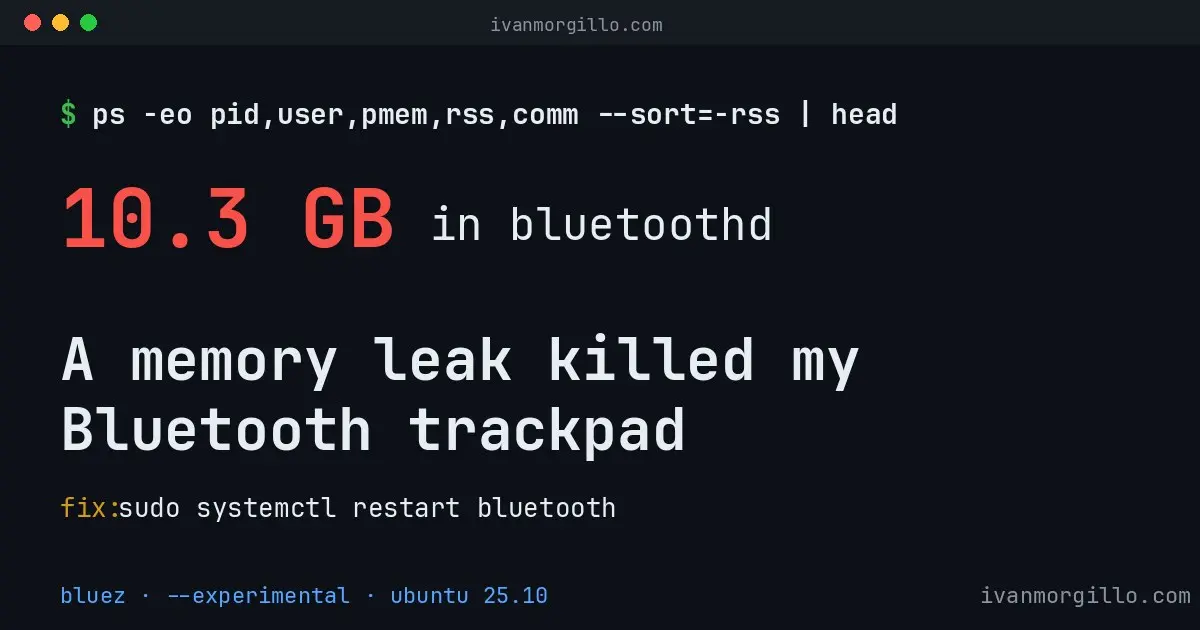
$ ps -eo pid,user,pmem,rss,comm --sort=-rss | head
   PID USER     %MEM       RSS COMMAND
  1421 root     32.3  10543728 bluetoothd
  3902 ivan     11.2   3654912 blueman-applet
  ...
bluetoothd was holding 10.3 GB of RSS.
Ten and a half gigabytes. For a daemon whose entire job is to talk to a
trackpad, a keyboard, and a pair of headphones.
For reference, a healthy bluetoothd on this machine sits
at around 7 MB. So we’re looking at fifteen hundred
times its normal footprint.
Right below it, blueman-applet — the GUI tray app that
just talks to bluetoothd over D-Bus — had grown to
3.5 GB, presumably because it kept trying to read the
runaway daemon’s state.
systemctl status bluetooth confirmed it:
   Loaded: loaded (/lib/systemd/system/bluetooth.service; enabled)
   Active: active (running) since Thu 2026-05-22 09:14:01
   Memory: 10.3G (peak: 10.3G)
Three days of uptime. Ten gigabytes of peak memory. No alerts, no OOM
kills — because Linux only OOM-kills when something asks for
memory it can’t have, and most of the time my desktop wasn’t asking.
But every time I switched window, opened a tab, ran sudo
— anything that needed a fresh allocation — the kernel had to shuffle
pages around, and that was the source of the system-wide
slowness I’d been writing off as “Chrome being Chrome”.
Why was bluetoothd leaking?
I checked the service file:
$ systemctl cat bluetooth.service
# /lib/systemd/system/bluetooth.service
[Unit]
Description=Bluetooth service
...
[Service]
Type=dbus
BusName=org.bluez
ExecStart=/usr/libexec/bluetooth/bluetoothd

# /etc/systemd/system/bluetooth.service.d/override.conf
[Service]
ExecStart=
ExecStart=/usr/libexec/bluetooth/bluetoothd --experimental
There it is. A systemd drop-in I’d added a while ago to enable
--experimental.
--experimental turns on a bag of features in BlueZ that
aren’t production-grade yet — including
AdvertisementMonitor, the new battery profile (BAS), and
the experimental D-Bus interfaces. I had enabled it months earlier to
try to get the trackpad battery indicator working (it didn’t help, but
that’s a different story — see my other
post on the Magic Trackpad battery regression for that saga).
The catch: those experimental features come with experimental code.
Some of them leak memory over time. There are upstream bug reports about
exactly this — bluetoothd growing by tens of megabytes per
hour when --experimental is on, with the leak attributed to
either the AdvertisementMonitor implementation or to the experimental
D-Bus interface handlers not freeing their state correctly.
On a server that runs for a week with no Bluetooth devices, you’d
never notice. On a desktop that you leave on for days, with two or three
devices reconnecting all the time, it adds up. In my case: 10 GB over
three days. Enough to slow the entire system down, and finally enough to
crowd out whatever buffer the daemon needed to actually deliver HID
events from the trackpad.
The immediate fix
This is the satisfying part of the post.
sudo systemctl restart bluetoothThat’s it. One line.
Within a second, bluetoothd was back to about 8 MB of
RSS. The trackpad reconnected on its own. blueman-applet
followed, releasing its 3.5 GB. The system felt instantly snappier — not
in a placebo way, actually snappier, because I’d been running
for days with 13 GB of phantom Bluetooth state.
If your cursor doesn’t come back immediately after the restart, give
the device a nudge:
bluetoothctl disconnect D0:03:4B:DE:41:71
sleep 2
bluetoothctl connect D0:03:4B:DE:41:71
(Replace the MAC with your own — bluetoothctl devices
lists everything paired.)
Five seconds, total. From a dead trackpad to a working one.
Don’t kill bluetoothd
directly
A side note for anyone whose terminal is also struggling because of
the memory pressure: don’t reach for sudo kill -9 1421.
You’ll get a non-running daemon, no clean shutdown, and your devices
won’t reconnect automatically.
What does help, if sudo itself is hanging:
killall blueman-applet
killall bluetoothctl   # any leftover instances
These are user-space processes that have been blocked talking to the
runaway daemon. Killing them frees CPU and memory immediately, which in
turn makes the system responsive enough to run
sudo systemctl restart bluetooth cleanly. The daemon itself
runs as root via systemd — leave it alone, let systemctl
restart it properly.
The permanent fix
If you don’t actually need --experimental, take it off.
The fix is to remove (or comment out) the drop-in:
sudo rm /etc/systemd/system/bluetooth.service.d/override.conf
sudo systemctl daemon-reload
sudo systemctl restart bluetooth
For most desktop users, the cost of disabling
--experimental is small:
- You lose
AdvertisementMonitor(used for things like
proximity-based device wake-up). - You lose the experimental D-Bus interfaces (only relevant if some
other app is calling them). - You lose the experimental battery profile — but Apple HID devices
don’t use it anyway. Apple uses HID-over-Bluetooth classic (UUID
0x1124), not the BLE Battery Service (0x180F),
so removing--experimentaldoesn’t hurt battery reporting
for trackpads/keyboards from Apple.
If you genuinely need one of the experimental features, you’re stuck
with the leak. The mitigations:
- Restart
bluetooth.serviceon a timer (a daily
systemctl restartworks). - Watch
bluetoothdRSS with a monitoring tool of
choice. - Pin to a newer BlueZ release as the upstream fixes land.
I’m in the “remove the flag” camp. Apple HID-over-classic worked
perfectly fine without it. The only reason I had it on in the first
place was an old, failed attempt to fix the battery indicator — which
turned out to be a kernel
driver issue, not a BlueZ one.
The two-command diagnostic
If you read just one section of this post, read this one.
To know if you’re hit by the same leak, run:
ps -eo pid,user,pmem,rss,comm --sort=-rss | head -5
systemctl status bluetooth --no-pager | head
If bluetoothd is in the top 5 by RSS with anything north
of ~500 MB, you have the leak. The fix is
sudo systemctl restart bluetooth.
If systemctl cat bluetooth.service shows
--experimental in any ExecStart= line, you
have the cause.
That’s the whole post in five lines of shell.
What I learned
A few things, in no particular order:
“Connected” is not “working”. When a Bluetooth
device misbehaves on Linux, the daemon will happily tell you everything
is fine right up to the point where it isn’t. Trust the symptoms, not
the status.
Always check the daemon first. Before I look at the
kernel, before I look at drivers, before I dig into udev or
xinput quirks, I should look at ps. Three
years of casually accepting bluetoothd as a black box ended
this Sunday.
Experimental flags rot. If you turn one on to fix
Problem X and X gets fixed somewhere else later, take the flag back
off. Configuration debt is a real thing on Linux desktops, and the
cost can be invisible for months.
Restarts are underrated. I’d been blaming Chrome,
blaming my distro upgrade, blaming the kernel, blaming everything but
the one process that was actually responsible. A 32-second debugging
session — ps, systemctl cat,
systemctl restart — saved me from filing pointless bug
reports and possibly reinstalling things.
If your Bluetooth device just stopped responding on Ubuntu (or any
other distro running BlueZ with --experimental), this is
worth checking before anything else. The fix is free, the diagnostic is
two commands, and the cause is almost always the same.
Now I have to go remove that drop-in from override.conf
before it bites me again.